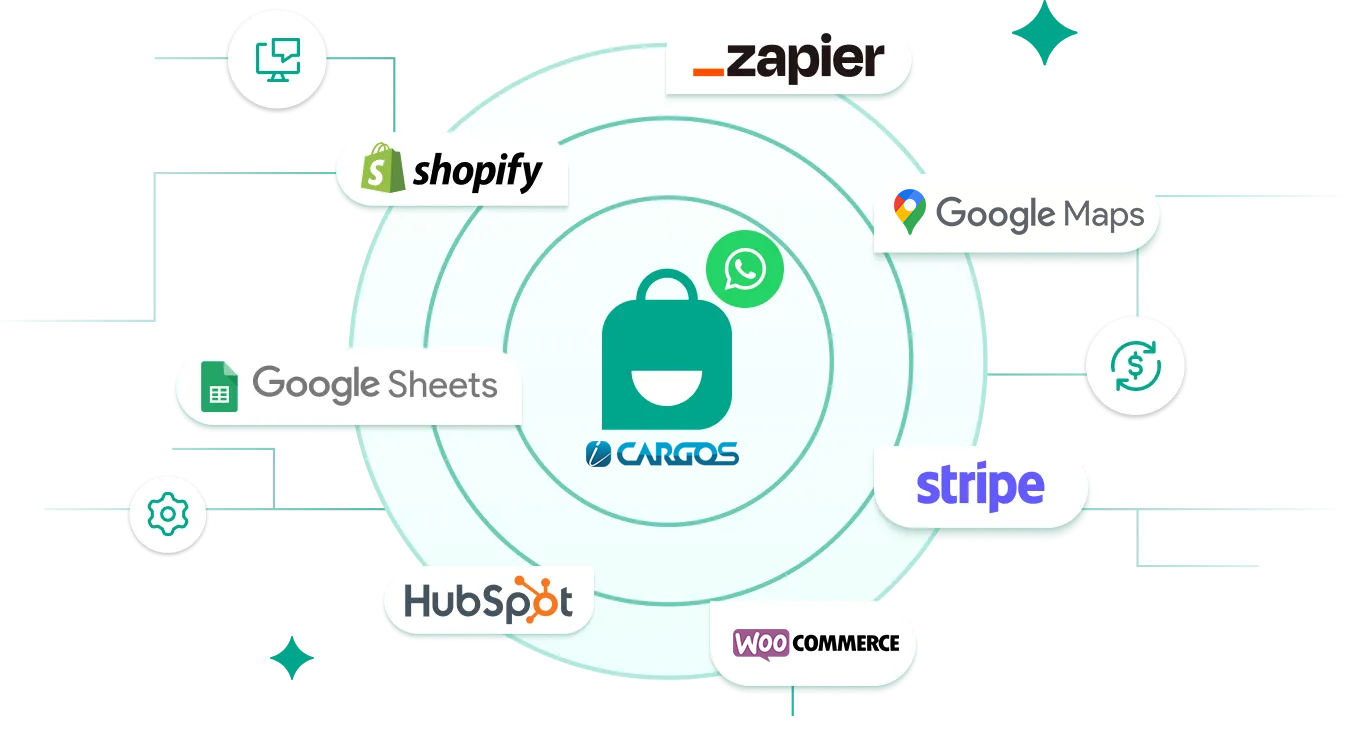
iCargos Connects With the Tools Your Business Already Uses

Running a courier or logistics business means juggling a dozen tools at once — your e-commerce store, your messaging apps, your automation workflows, your maps, your analytics. The last thing you need is a courier management system that lives in its own silo.

iCargos was built to be the operational hub of your logistics business, not an island. With native integrations, open API access, and webhook support across every major category of business tool, iCargos plugs directly into the stack you already depend on — and extends it with powerful delivery management capabilities.

Whether you're a solo courier operation or a multi-city logistics company, the right integrations eliminate manual data entry, reduce errors, and let your team move faster. Here's everything iCargos connects with — and how to get started.

E-Commerce Integrations

Turn online orders into delivery jobs automatically — no copy-paste, no manual entry.

WooCommerce

iCargos connects to WooCommerce stores via a real-time webhook integration. When a customer places an order on your WooCommerce store, iCargos instantly creates a new shipment job, assigns it to the correct branch or courier, and begins the delivery workflow — all without any manual action.

How to connect:

Install the iCargos webhook endpoint in your WooCommerce settings under WooCommerce → Settings → Advanced → Webhooks. Add your iCargos webhook URL and select the "Order Created" trigger. Orders flow automatically from that point forward.

Keywords served:

woocommerce courier plugin, logistics api integration

Shopify

For Shopify merchants, iCargos integrates via the Shopify API to pull orders in real time. New Shopify orders are converted into iCargos shipments automatically, with customer details, product info, and shipping address pre-populated. Tracking updates flow back to Shopify and notify customers without any manual steps.

How to connect:

Navigate to iCargos Settings → Integrations → Shopify, enter your Shopify store URL and API credentials, and authorize the connection. iCargos handles the rest.

Custom Webhooks

Have a custom-built e-commerce platform, an ERP, or an order management system that isn't listed? iCargos supports custom inbound webhooks for any system that can send an HTTP POST request. Simply define your payload format in the iCargos webhook mapper and incoming orders will be parsed and converted into shipments automatically.

How to connect:

Go to Settings → Webhooks → Inbound Webhooks, generate your endpoint URL, and configure your source system to POST orders to that URL.

Communication Integrations

Keep customers and agents informed through the channels they already use.

WhatsApp Business API

iCargos includes full WhatsApp Business API integration as a standard feature — not an add-on. Customers receive automated delivery status updates, can reply to reschedule or confirm orders, and can receive proof-of-delivery photos directly in their WhatsApp. Delivery agents can message customers directly from within iCargos. Multilingual message templates are supported and auto-detected by customer locale.

How to connect:

iCargos provides a guided WhatsApp Business API onboarding flow. Connect your verified WhatsApp Business number under Settings → Communication → WhatsApp. Template messages are pre-built and ready to use.

SMS Gateways

For markets where SMS remains the primary fallback channel, iCargos integrates with major SMS gateway providers. Automated SMS notifications mirror the same event triggers as WhatsApp — dispatch confirmed, out for delivery, delivered — ensuring customer reach even without internet access.

How to connect:

Navigate to Settings → Communication → SMS, select your gateway provider, and enter your API key. iCargos will route SMS notifications through your configured gateway automatically.

Email (SMTP)

iCargos supports custom SMTP email integration, allowing you to send branded delivery notifications and tracking emails from your own domain. Maintain a consistent brand experience across email, WhatsApp, and SMS — all from a single platform.

How to connect:

Go to Settings → Communication → Email, enter your SMTP host, port, username, and password. Send a test email to verify configuration.

Automation Integrations

Build powerful logistics workflows without writing a single line of code.

Zapier

Connect iCargos to 6,000+ apps via Zapier. Trigger actions in Google Sheets, Slack, CRMs, accounting tools, and more whenever a shipment is created, updated, or delivered. Zapier makes it easy to extend iCargos into any tool in your business stack — no developer needed.

How to connect:

Search for "iCargos" in the Zapier app directory, authenticate with your iCargos API key, and start building Zaps using iCargos triggers and actions.

Make.com (formerly Integromat)

For more complex multi-step automation scenarios, iCargos works seamlessly with Make.com. Build visual workflows that chain iCargos shipment events into multi-stage processes — update a CRM, send a Slack alert, log to a Google Sheet, and trigger a follow-up email all in a single automated flow.

How to connect:

Add the iCargos module in Make.com, connect using your API key, and configure your scenario triggers from the iCargos module list.

N8N

For teams that prefer self-hosted, open-source automation, iCargos integrates with N8N via its REST API and webhook nodes. Build fully custom workflows on your own infrastructure with complete control over your data pipeline.

How to connect:

Use the HTTP Request node in N8N with your iCargos API base URL and Bearer token. Standard REST endpoints support all core iCargos objects.

REST API

Every feature in iCargos is accessible via our REST API. Create shipments, query status, update addresses, manage agents, generate reports — all programmatically. Our API is RESTful, JSON-based, and secured via Bearer token authentication.

How to connect:

Generate your API key under Settings → API → Access Tokens. Full documentation is available at icargos.com/docs.

Analytics & Reporting Integrations

Turn your shipment data into business intelligence.

Google Analytics

Track customer behavior on your iCargos tracking portal and customer-facing pages with Google Analytics. Understand how customers interact with delivery notifications, tracking pages, and confirmation flows — and use that data to optimize your customer experience.

How to connect:

Add your Google Analytics measurement ID under Settings → Analytics → Google Analytics.

CSV / Excel Export

Export any data set from iCargos — shipments, agents, customers, financial summaries — directly to CSV or Excel format with one click. Schedule automated daily or weekly exports for reporting workflows that don't require live API access.

How to connect:

Available from any data grid in iCargos via the Export button. Scheduled exports can be configured under Reports → Scheduled Exports.

Google Sheets

Push iCargos shipment data directly into Google Sheets in real time via Zapier or Make.com integration. Build live dashboards, share data with non-technical team members, or feed data into custom reporting models — all without manual exports.

How to connect:

Use the Zapier or Make.com integration paths described above with Google Sheets as the destination app.

Maps & Routing Integrations

Optimize every delivery mile with intelligent map and routing capabilities.

Google Maps

iCargos integrates natively with Google Maps for address validation, delivery area mapping, and live driver tracking. Customers receive a live tracking link powered by Google Maps. Dispatchers see all active deliveries on a real-time map view.

How to connect: Google Maps is enabled by default in iCargos with no additional configuration required for standard use. Custom API key support is available for high-volume operations under Settings → Maps.

Route Optimization

iCargos includes built-in route optimization that sequences multi-stop delivery runs for maximum efficiency. Reduce fuel costs, cut delivery time per stop, and improve on-time delivery rates — automatically.

How to connect: Route optimization is available for any dispatch batch under Dispatch → Optimize Route. No external configuration required.

Developer API & Webhooks

Build anything on top of iCargos with our full developer toolkit.

iCargos offers a complete logistics API integration layer for developers who want to build custom applications, white-label portals, or deep integrations with proprietary systems. Our REST API covers 100% of iCargos functionality, and our webhook system pushes real-time event notifications to any endpoint you specify.

  • REST API — full CRUD access to all iCargos objects

  • Outbound Webhooks — push events (shipment created, status updated, delivered) to external systems in real time

  • API documentation — available at icargos.com/docs

  • Sandbox environment — test integrations safely before going live

  • SDKs — JavaScript and Python SDKs available for faster development

How to connect: All developer resources are available under Settings → API in your iCargos dashboard.

Need a Custom Integration? Talk to Our Team.

Don't see your tool listed? Our integration team builds custom connectors for courier businesses with unique system requirements — ERP systems, proprietary e-commerce platforms, fleet management tools, and more.

iCargos © Copyright 2025. All Rights Reserved. - Powered By IT Vision Pvt. Ltd.